

Good news for Unlock MLS subscribers: document management just got a whole lot easier. Starting now, you can upload, manage, and view listing documents directly inside Matrix — no more jumping between systems. Welcome to Matrix Documents.
What Is Matrix Documents?
Matrix Documents is a fully integrated document management feature built right into the Matrix platform. Instead of managing your listing documents in a separate tool, everything now lives in Listing Manager — streamlining your workflow and keeping your transaction records right where you're already working.
What's Changing (And What You Don't Have to Do)
The transition is designed to be seamless. No action is required on your part.
All existing documents currently stored in TransactionDesk — specifically those marked as MLS Agent View or Public — will automatically migrate to Matrix Documents. You won't need to re-upload or reorganize anything.
There's one important exception: documents marked as Private in TransactionDesk will not migrate to Matrix Documents. Those will remain in TransactionDesk, accessible to the listing agent.
How to Upload Documents in Matrix Documents
Ready to add documents to a listing? Here's how:
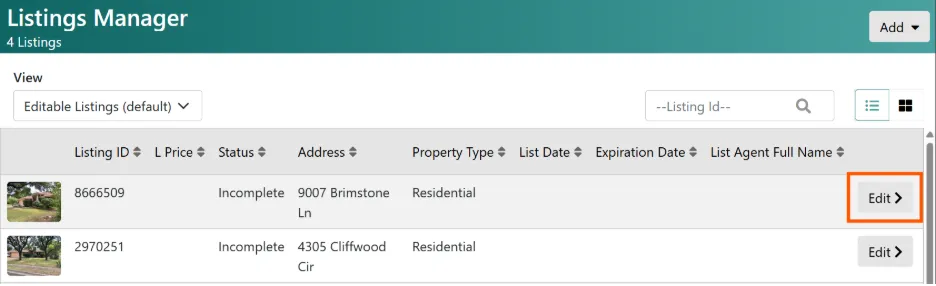
1. In Listing Manager, click the Edit button for the listing you want to update.
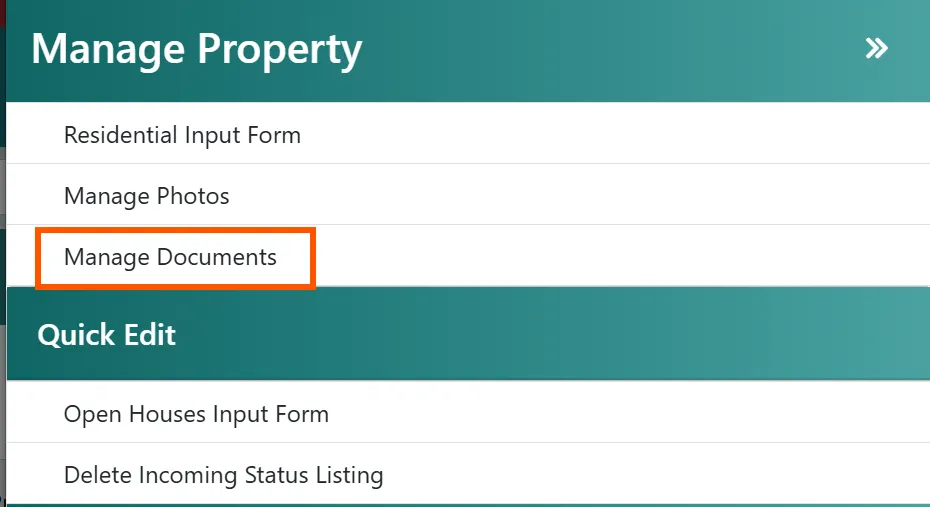
2. Select Manage Documents.
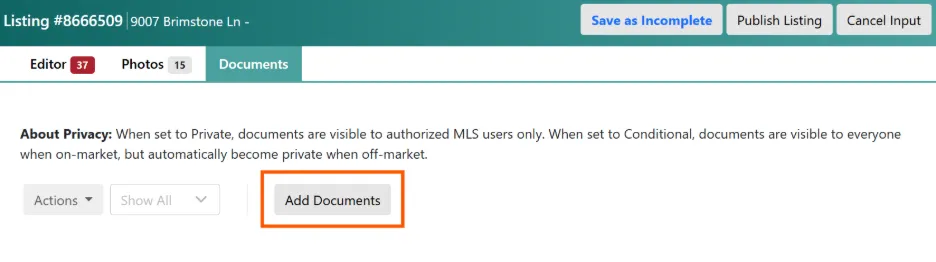
3. From the Documents tab of the listing, click Add Documents.
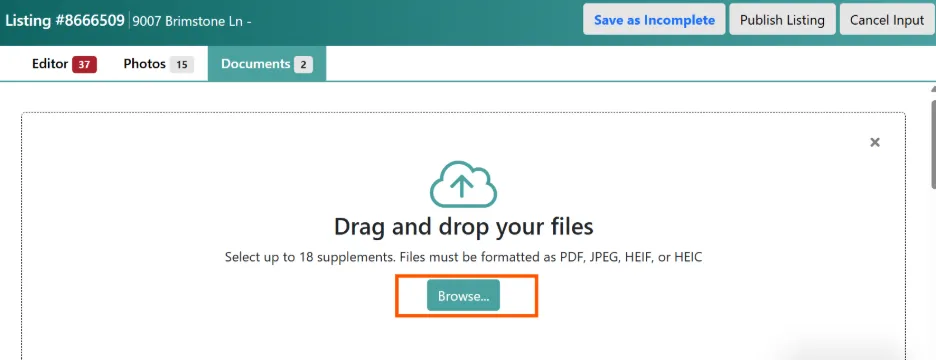
4. Drag and drop your documents, or click to browse and upload from your device.
5. Once uploaded, you'll have the option to select a Document Type and add a Description for additional context.
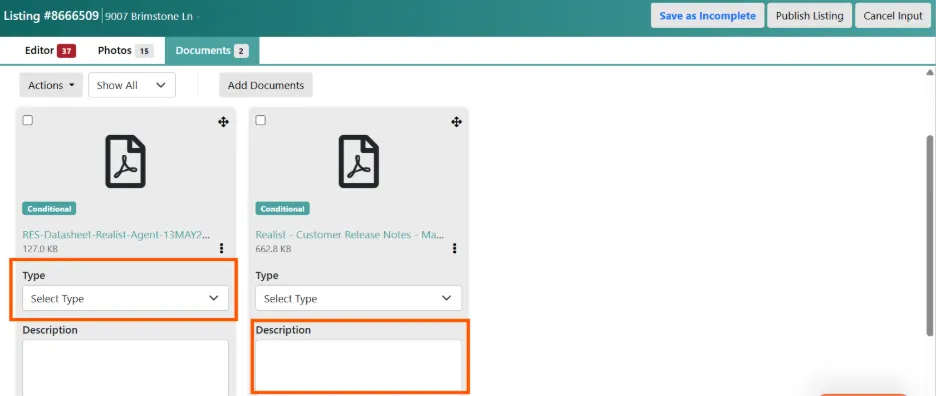
6. Click Save as Incomplete or Publish Listing to save your documents.
That's it — your documents are now attached to the listing and ready to be viewed.
How to View Documents on a Listing
Viewing documents is just as simple:
1. On the listing display, click the paper stack icon.
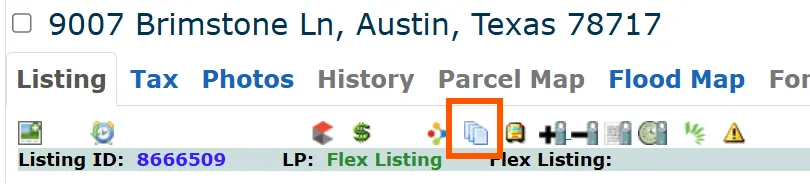
2. A new tab will open with a list of all documents attached to that listing.

Have questions? Our Matrix Documents FAQs can help. If you have questions about the transition or need additional assistance, contact the Unlock MLS support team at support@unlockmls.com. We're here to help!